loading

How Website Templates Help Small Businesses

How Website Templates Help Small Businesses Grow Quickly

Starting a business is one of the most exciting things you can do. It is also one of the most chaotic.

As a small business owner heading into 2026, you are constantly juggling priorities. You need to manage your finances. You need to refine your product. You need to find your first customers. And in the middle of all this noise, you face a massive digital hurdle: you need a professional website.

In today’s market, a website is not optional. It is your digital storefront. It is the first place potential customers go to verify that you are a “real” business. If you don’t have one, or if yours looks unprofessional, you lose credibility instantly.

But here is the problem most owners face. You generally have two bad options:

  1. Pay a fortune to a web design agency for a custom-coded site.
  2. Struggle for weeks trying to learn how to code it yourself.

Neither of these options works when you need to move fast and save money.

Fortunately, there is a third option that has changed the game for startups, freelancers, and local businesses. Enter the premium website template.

Gone are the days when templates looked generic or “cheap.” Today, modern HTML and WordPress templates are powerful business growth tools. They are sleek, quick, and built to convert visitors into customers.

Here is exactly how using a website template can fast-track your business growth.

1. Launch in Days, Not Months
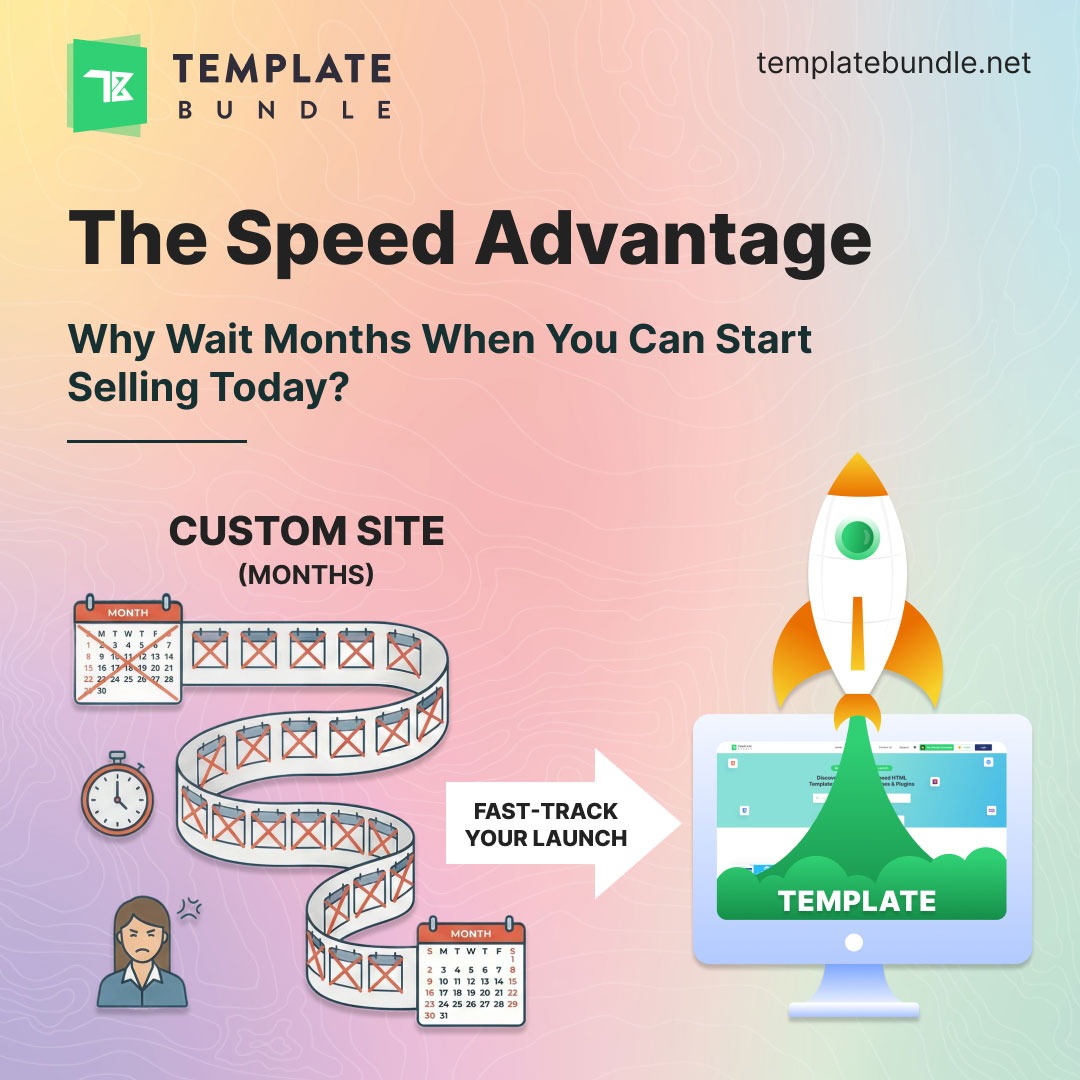
Illustration comparing slow custom website development with fast website launch using templates, highlighting the speed advantage.

In the business world, speed is your most valuable asset.

If you have a great business idea, you need to get it in front of customers immediately. Every day you wait is a day your competitors are stealing your potential clients.

The “Custom Site” Delay: If you hire an agency to build a custom website from scratch, get ready to wait. The traditional web design process is slow and complex. It involves:

  • Initial discovery meetings.
  • Creating wireframes (rough sketches).
  • Multiple rounds of design approvals.
  • Weeks of coding and testing.

This process often takes 3 to 6 months. Can your new business afford to stay invisible for half a year? Probably not.

The Template Advantage: With a premium template, the heavy lifting is already done. The structure is built. The code is written. The layout is polished.

Your job becomes incredibly simple:

  • Download the template package.
  • Upload your specific content and logo.
  • Adjust the colors to match your brand identity.
  • Hit publish.

Instead of waiting months, you can launch in a few days. This speed allows you to start collecting leads, making sales, and building your email list immediately. You capitalize on trends now, not later.

2. Drastic Cost Reduction (Reinvest for Growth)
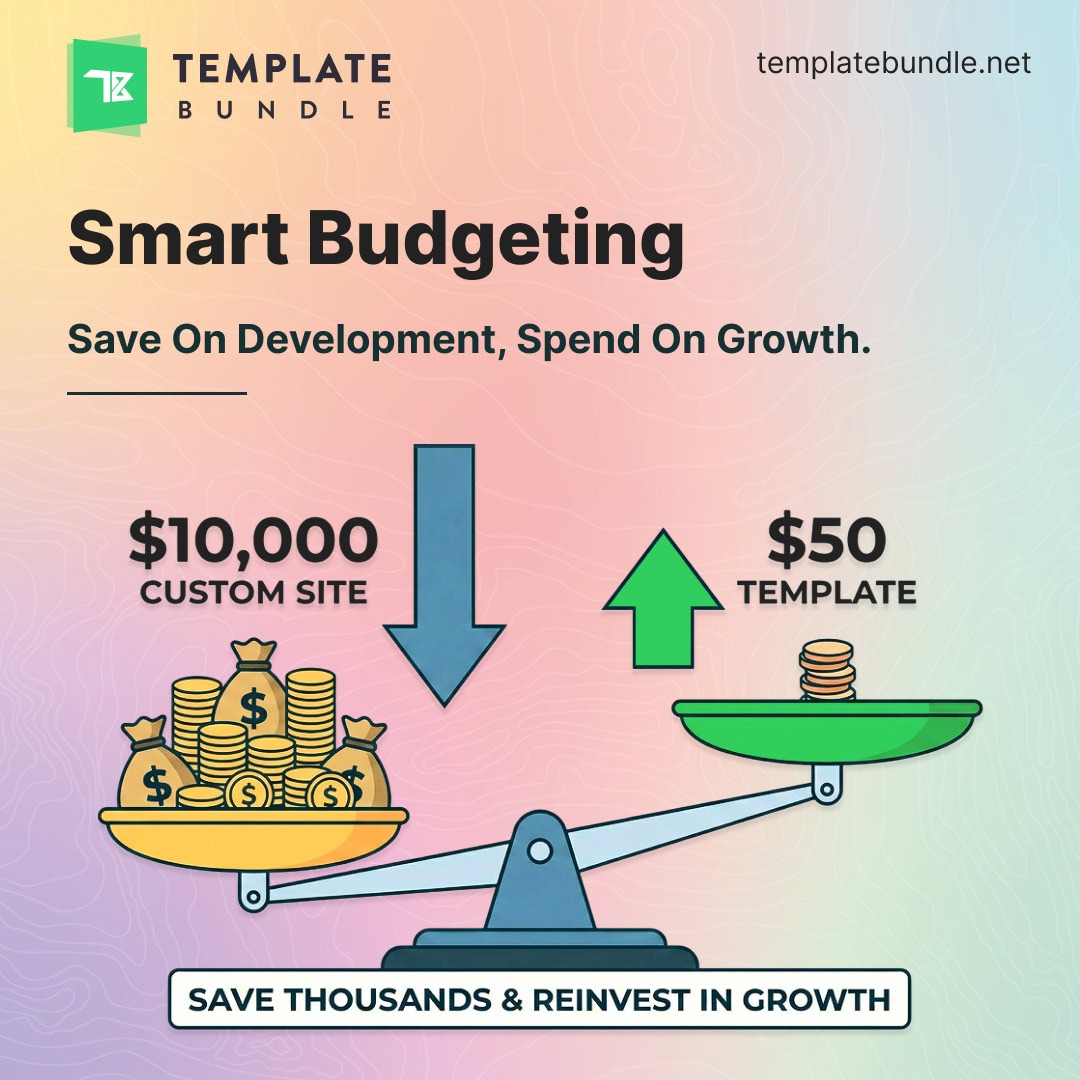
Cost comparison graphic showing expensive custom website versus affordable website template, emphasizing smart budgeting and savings.

Let’s talk about money. Cash flow is the oxygen of any small business. You need to be extremely smart about where every dollar goes.

The Cost of Custom Design: A custom-coded website is a luxury product. You are paying for the agency’s time, overhead, and specialized expertise. A standard custom site can easily cost between $5,000 and $15,000. For many startups, that is the entire marketing budget gone before the doors even open.

The Smart Alternative: A premium professional template costs a fraction of that price. We are talking about the cost of a nice dinner for two—usually between $20 and $70.

The “Growth Factor” Calculation. This is simple math that wins every time. Imagine you have a startup budget of $10,000.

  • Scenario A: You spend $10,000 on a custom website. You now have a beautiful site, but $0 left for marketing. Nobody knows your site exists.
  • Scenario B: You spend $50 on a premium template. You now have $9,950 left.

You can invest that saved money into things that actually grow your business:

  • Google Ads to drive immediate traffic.
  • Social media marketing to build a loyal community.
  • SEO tools to rank higher on search engines.

A $50 website with a $9,950 marketing budget will almost always beat a $10,000 website with zero marketing budget.

3. Instant Credibility and Trust

“Don’t judge a book by its cover.” It is a nice saying, but it does not apply to the internet. Online, people judge books by their covers every single second.

Research consistently shows that 75% of users judge a company’s credibility based solely on its website design.

The 3-Second Rule: When a potential customer lands on your site, you have about three seconds to convince them to stay. If your site looks outdated, cluttered, or broken, they will hit the “Back” button. They will assume your business is unprofessional. They will go to your competitor.

Design That Builds Trust. You might not be a graphic designer. That is okay. The creators of premium templates are.

When you buy a high-quality template, you are essentially “renting” the expertise of a professional UI/UX designer. These templates come pre-packaged with:

  • Polished Layouts: Everything is aligned perfectly.
  • Visual Hierarchy: The most important information stands out naturally.
  • Clean Typography: Fonts that are easy to read and look modern.
  • Proper Spacing: White space that lets the content breathe.

These design elements subconsciously tell your visitors, “This company is professional. You can trust them with your money.”

4. Built-In Mobile Responsiveness
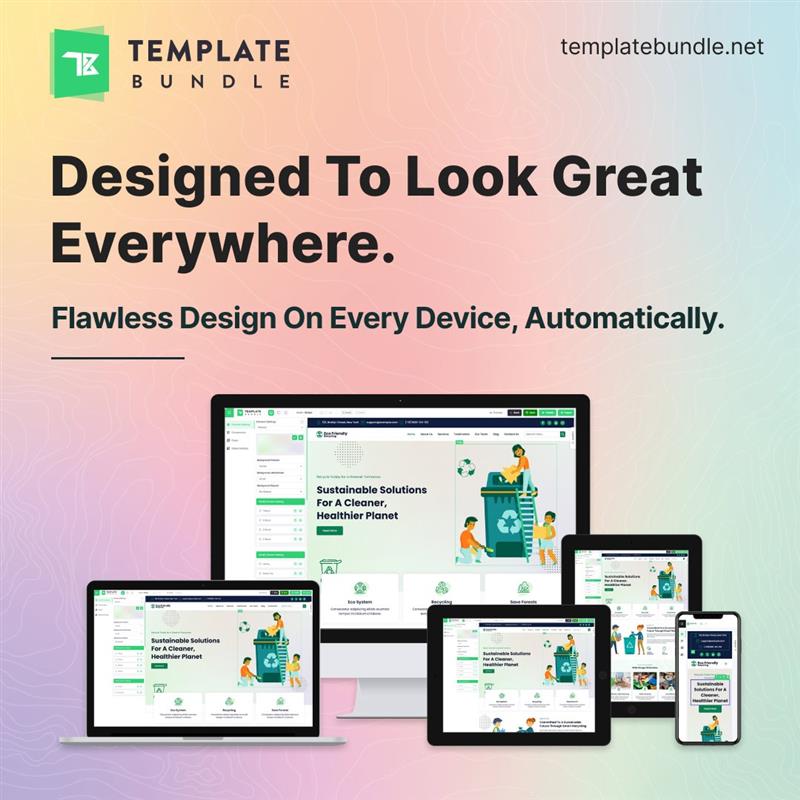
Responsive website design displayed across desktop, laptop, tablet, and mobile devices, showing templates that look great on every screen.

How often do you browse the web on your phone? If you are like most people, the answer is “all the time.”

Global statistics show that over 60% of all website traffic comes from mobile devices. In industries like restaurants or retail, that number is even higher.

The Mobile-First Reality: Having a website that works on a desktop computer is no longer enough. Your site must look amazing on an iPhone, a Samsung Galaxy, an iPad, and a laptop. If a user visits your site on their phone and has to “pinch and zoom” to read the text, they will likely leave. It is frustrating and looks old-fashioned.

Templates Solve This Automatically. Modern templates are built with a “mobile-first” philosophy. They use responsive code. This means the website automatically detects the screen size of the visitor and adjusts the layout to fit perfectly.

  • Images resize automatically.
  • Menus turn into easy-to-use icons.
  • Text becomes readable without zooming.

This ensures every visitor has a great experience, no matter what device they are using.

5. No Technical Headaches (The ``No-Code`` Era)

This is the biggest fear for most small business owners: “I am not a tech person. I don’t know how to code.”

Ten years ago, this was a valid fear. Today, that barrier is gone.

Independence and control templates give you freedom. You do not need to call a developer (and pay their hourly rate) every time you want to change a sentence or swap a photo.

Most modern templates, especially for WordPress, integrate with easy tools. They often feature:

  • Drag-and-Drop Builders: Move elements around like puzzle pieces.
  • Visual Editors: Type directly on the screen to see how it looks.
  • Simple Dashboards: Change settings with a few clicks.

Agility for Business: Business moves fast. Did you change your pricing? Update it instantly. Do you have a new holiday promotion? Add a banner in seconds. Using a template puts you in the driver’s seat. You control your own digital destiny.

6. Built-In SEO & Performance Optimization

A beautiful website is useless if nobody can find it.

Search Engine Optimization (SEO) is how you get your website to show up on Google. While content is king, the code behind your website plays a huge role in how high you rank.

Clean Code Matters. Custom websites built by inexperienced developers can sometimes be “bloated.” This means they have messy code that confuses Google and slows down the site.

Premium templates are typically built by code experts who follow the latest web standards. 

They include:

  • Clean Markup: Code that Google’s bots can read easily.
  • Heading Hierarchy: Proper use of H1, H2, and H3 tags.
  • Fast Loading Speeds: Optimized to load quickly.

Google hates slow websites. More importantly, users hate slow websites. If your site takes more than 3 seconds to load, 40% of people will give up and leave. High-quality templates help you avoid this.

7. Scalable for Future Needs

Right now, you might be a small business. But you plan to grow, right?

You don’t want to build a “throwaway” website that you have to delete in a year because it is too small for you. You need a foundation that can grow as you grow.

Flexible Expansion Website templates are modular. This means you can start small and add features later without breaking the site.

Phase 1: Launch a simple 5-page brochure site to explain who you are.

Phase 2: Add a blog section to share industry news.

Phase 3: Integrate an e-commerce store to sell products directly.

Phase 4: Add a booking form for appointments.

You can do all of this on the same template. You simply “turn on” the features when you are ready for them. This scalability ensures that your initial investment serves you for years to come.

Conclusion

Let’s be real. Running a small business is hard work. You have limited time, limited money, and unlimited challenges. Your website should be a solution, not another problem.

Using a professional website template is the smartest tactical move a small business owner can make in 2026. It eliminates the technical barriers. It saves you thousands of dollars. It gets you to market faster.

By choosing a template, you are not “settling” for less. You are making a strategic decision to focus your resources on what truly matters: serving your customers and generating revenue.

Do not let technical perfectionism slow you down. The market rewards those who take action.

Are you ready to grow?

Stop waiting. Stop overthinking. Your future customers are searching for you right now. Give them a professional place to land.
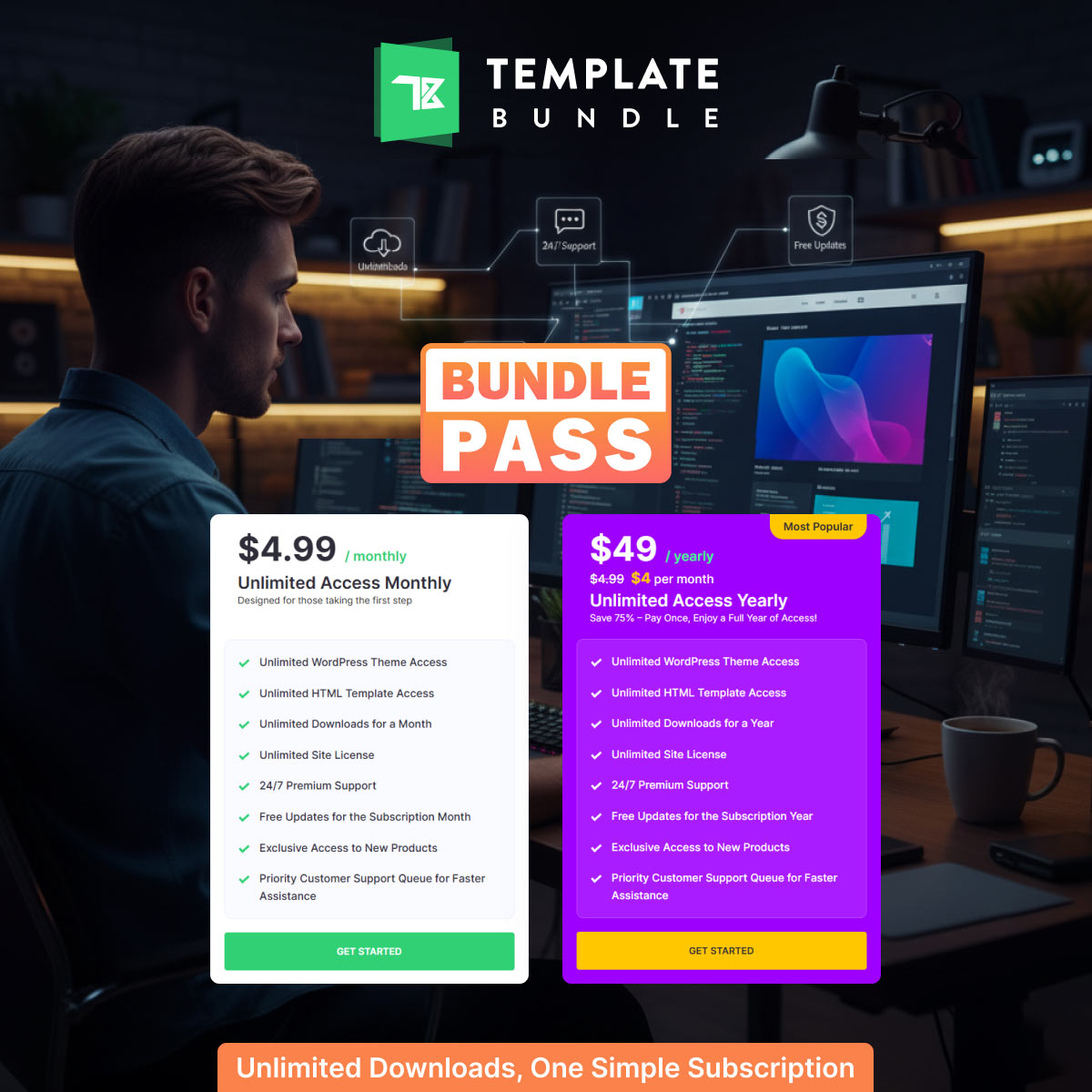
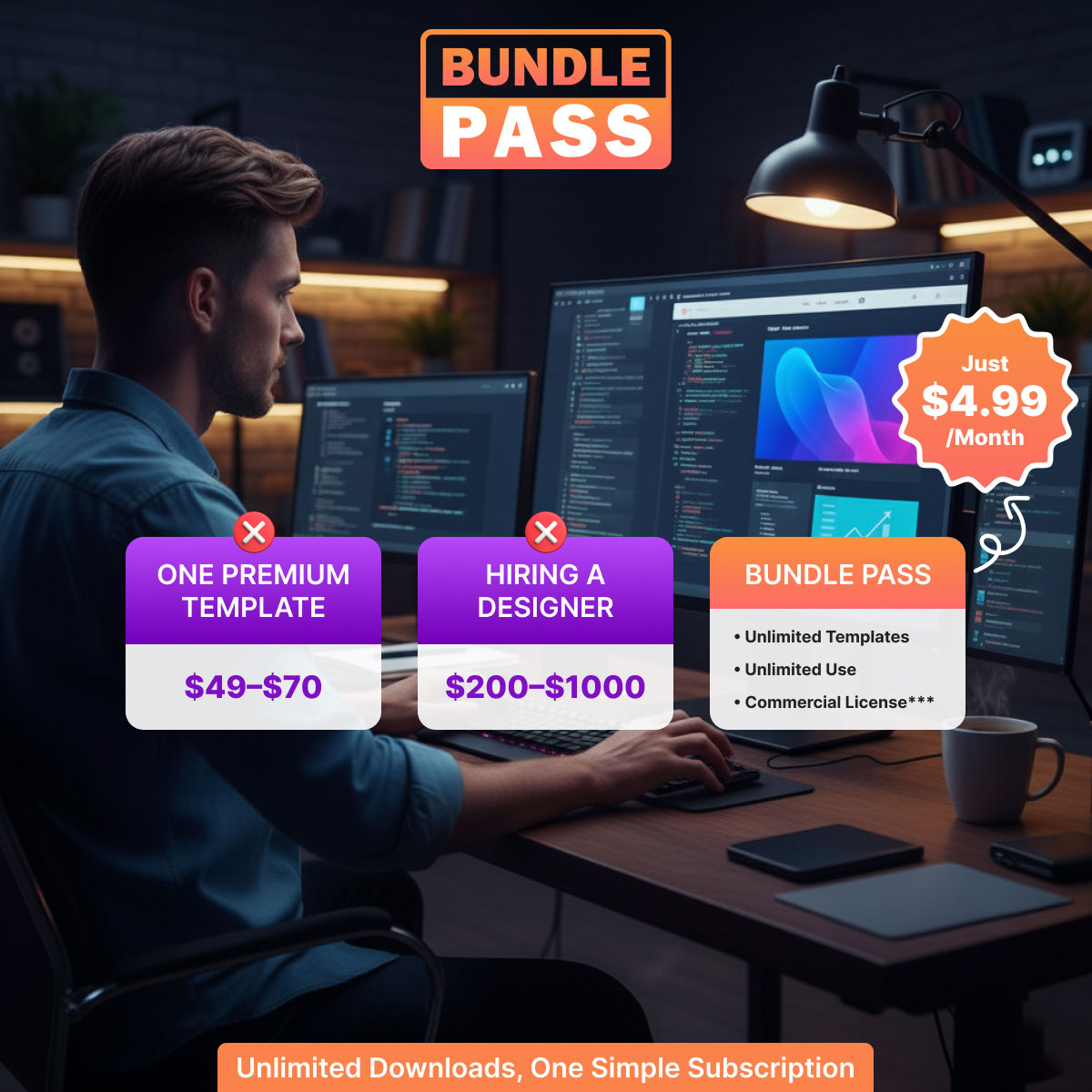
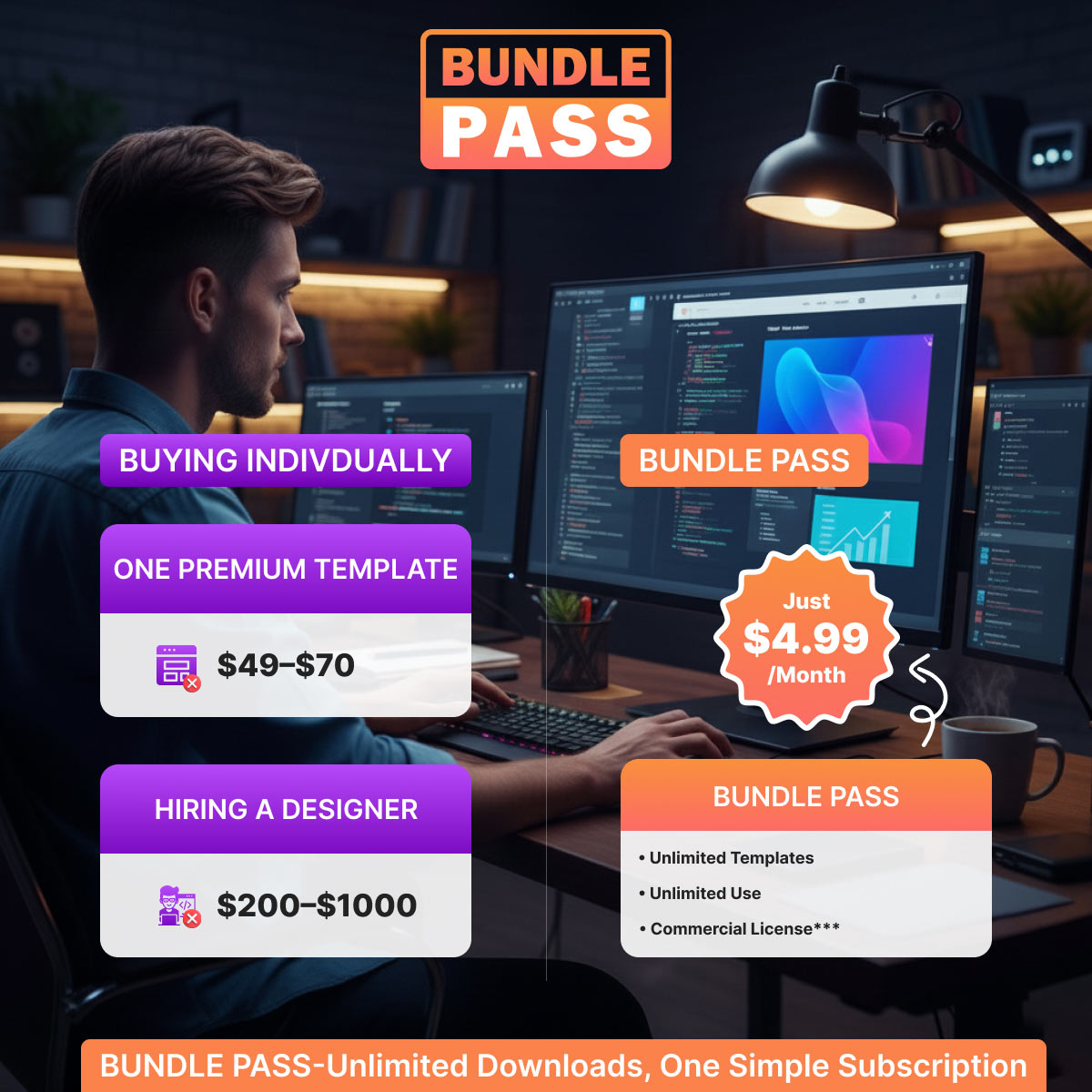
Bundle Pass – Unlimited Downloads, One Simple Subscription at Just $4.99

Bundle Pass: Unlimited Downloads on a $4.99 Subscription

Websites are the face of every business today. A modern design, clean code, and user-friendly interface can decide whether a brand wins or loses online. But premium templates are expensive. Buying them one by one or hiring a designer for each project can burn a hole in your pocket.

That’s where Bundle Pass helps you. With one subscription, you get unlimited access to premium WordPress themes and HTML templates. No limits. No extra fees. Just one easy plan. On top of that, you also get a commercial license*, so you can earn money, customize designs, and deliver websites to your clients.

Bundle Pass is more than a subscription. It’s a business growth tool.

Why Bundle Pass is Different

Many platforms sell themes individually. One template costs $40 or more. Multiply that by the number of clients you serve, and the cost skyrockets.

Bundle Pass changes that. For only $4.99/month, you gain access to the entire library of templates. Download what you need, as many times as you want. Use them on unlimited sites. Update them anytime.

The best part? The commercial license*** means you can legally sell the websites you create.

What You Get with Bundle Pass

Here’s what makes the subscription unbeatable:

  • Unlimited WordPress theme access
  • Unlimited HTML template access
  • Unlimited downloads during your subscription
  • Commercial license*** to make money from client projects
  • Free updates
  • Exclusive access to new templates
  • 24/7 premium support
  • Priority customer assistance

No restrictions. No surprises. Just everything you need in one place.

Make Money with Every Project

The commercial license*** transforms this plan into an income machine. Unlike many platforms that restrict templates to personal use, Bundle Pass allows you to:

  • Build websites for clients and get paid
  • Customize designs to match client brands
  • Create and sell digital products
  • Launch multiple income streams without extra cost

Each project you deliver adds revenue to your business, while your monthly cost stays fixed at just $4.99.

Templates for Every Niche

Bundle Pass doesn’t just give you a handful of designs. You get access to a diverse library of modern, responsive, and SEO-friendly templates.

  • Business websites – For startups, consultants, and agencies
  • E-commerce stores – Fashion, electronics, food delivery, and more
  • Creative portfolios – For photographers, designers, and artists
  • Service-based businesses – Salons, gyms, doctors, lawyers, and schools
  • Specialized industries – Real estate, hospitality, education, NGOs, and beyond

Whatever your client needs, you’ll find a template that works.

Bundle Pass vs. Buying Individually

Here’s the reality:

  • One premium template costs $49–$70.
  • Hiring a designer costs $200–$1000 per site.
  • Bundle Pass costs $4.99/month with unlimited access.

The choice is clear. One small subscription can save you thousands every year while helping you grow your business.

Who Can Benefit from Bundle Pass?

This plan is built for:

  • Freelancers – Build more websites without increasing expenses.
  • Agencies – Manage multiple clients and scale your services.
  • Startups – Get online quickly with professional designs.
  • Small businesses – Create polished websites without large budgets.
  • Students – Learn web design using real, premium templates.
  • Bloggers and creators – Launch attractive personal sites with ease.

Anyone who works online can benefit from Bundle Pass.

Key Features That Help You Grow

Let’s break down what makes Bundle Pass powerful:

  1. Unlimited Downloads – No caps, no restrictions.
  2. Commercial License*** – Make money with every site you deliver.
  3. Regular Updates – Stay secure and modern.
  4. Exclusive New Releases – Always stay ahead of the market.
  5. Priority Support – Get fast help whenever needed.

Everything is designed to boost your income and save time.

Why Choose Bundle Pass Over Competitors?

  • Affordable – Only $4.99/month.
  • Flexible – Unlimited projects and clients.
  • Profitable – Sell websites with the commercial license***.
  • Reliable – 24/7 premium support.

No hidden charges. No tricks. Just pure value.

Final Thoughts

Web design doesn’t have to be costly or difficult. With Bundle Pass, you get access to a full library of professional templates. Enjoy unlimited downloads and a commercial license*** that lets you earn money from your projects.

For only $4.99/month, you get:

  • Unlimited themes and templates
  • Commercial license*** to sell websites
  • 24/7 premium support
  • Free updates and new releases

It’s more than a subscription. It’s your chance to grow your business, serve more clients, and maximize profits.

Bundle Pass – unlimited downloads, unlimited earnings, one simple subscription. All for just $4.99.

Common Mistakes When Choosing a Website Template

Common Mistakes When Choosing a Website Template and How to Avoid Them

Choosing the right website template is one of the most critical steps in creating a professional and successful online presence. Your template serves as the foundation of your website, affecting both how it looks and how it functions. A poorly chosen template can result in slow loading times, frustrated visitors, and a website that fails to represent your brand effectively. Unfortunately, many website owners make avoidable mistakes during the selection process. Template Bundle offers a wide range of templates designed to help businesses, freelancers, and creative professionals avoid these pitfalls.

In this blog, we will explore the most common mistakes people make when selecting website templates and provide actionable tips on how to avoid them. By understanding these mistakes, you can choose a template that not only looks great but also performs flawlessly and supports your business goals.

1. Not Considering Your Website’s Purpose

One of the most common errors is choosing a template based solely on its visual appeal rather than considering the type of website you need. For example, an eCommerce store requires a template that includes product galleries, shopping cart integration, and secure checkout features. On the other hand, a portfolio website needs templates with galleries, sliders, and testimonial sections to showcase creative work effectively.

When a template does not align with your website’s purpose, you may end up spending extra hours customizing it or compromising on functionality. This can delay your website launch and even lead to an unsatisfactory user experience.

Tip: Before selecting a template, clearly define your website’s goals. Ask yourself:

  • What is the main purpose of my website?
  • Who is my target audience?
  • What features are absolutely necessary for my website type?

Template Bundle offers a variety of categories like eCommerce, blogs, portfolios, business, and more. Each template is designed with specific purposes in mind, making it easier to find one that fits your exact needs.

Example: A fitness studio looking to showcase classes and schedules would benefit more from a “Gym & Fitness” template rather than a generic business template. Similarly, an online boutique would require an eCommerce template with product filters and checkout options.

2. Ignoring Mobile Responsiveness

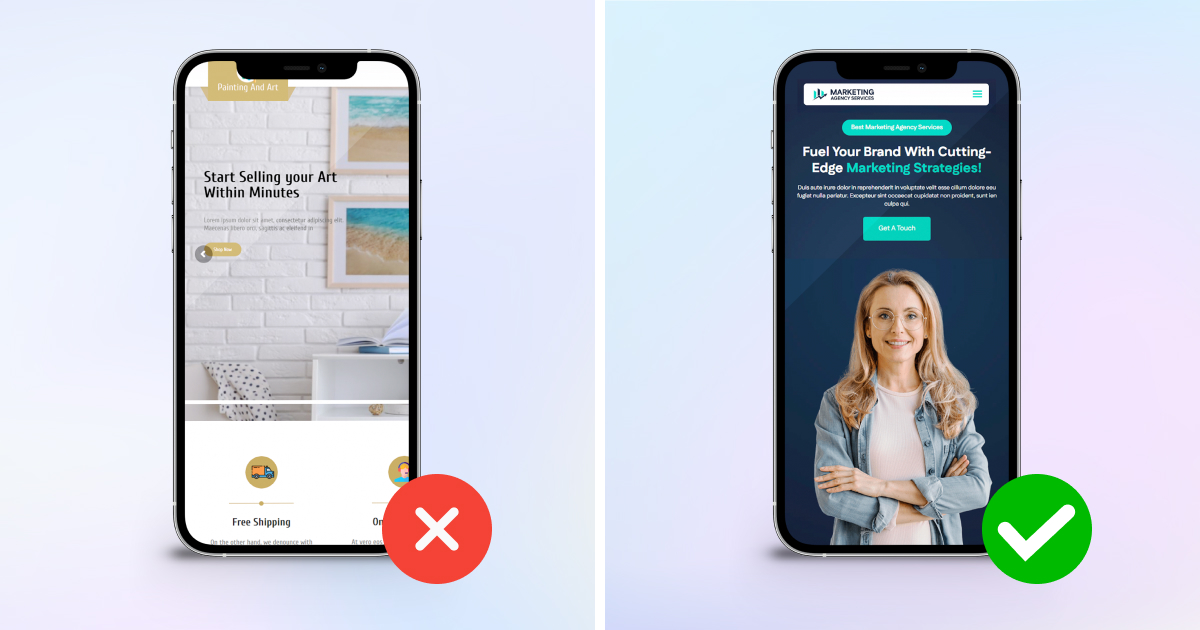
Mobile traffic now accounts for more than half of all website visits globally. A website that looks perfect on a desktop may break or appear cluttered on smartphones and tablets if the template is not responsive. Ignoring mobile responsiveness can lead to poor user experience, high bounce rates, and even lower search engine rankings.

Tip: Always test a template demo on multiple devices, including smartphones and tablets, before making a purchase. Check how menus, images, and text adjust on smaller screens.

Template Bundle templates are fully responsive, ensuring that your website looks professional across all devices. Responsive templates also contribute positively to SEO, as search engines prioritize mobile-friendly websites.

Example: Imagine a travel blog that shares vibrant images of destinations. On a desktop, the gallery looks stunning. But on a mobile device, if the images are not properly optimized, the page may load slowly or the layout may break, frustrating readers. Choosing a responsive template from Template Bundle solves this problem and ensures your audience enjoys a seamless browsing experience.

3. Overlooking SEO-Friendly Features

Even the most visually appealing template can fail if it is not optimized for search engines. Many beginners choose templates based on design alone and neglect technical aspects like clean code, fast loading times, and SEO-friendly structure. Poorly coded templates can affect website speed, indexing, and search engine rankings, making it harder for potential visitors to find your site.

Tip: Look for templates with the following SEO features:

  • Clean and organized HTML/CSS structure
  • Fast loading speeds
  • Schema markup for rich results
  • Optimized heading hierarchy (H1, H2, H3)
  • Compatibility with SEO plugins (for WordPress templates)

Template Bundle ensures that all templates are designed with SEO in mind, combining aesthetic appeal with performance.

Example: A local bakery creating an online store might choose a visually striking template. If it lacks proper SEO optimization, potential customers searching for “fresh cakes near me” may never find the website. Selecting an SEO-friendly template increases visibility and drives organic traffic to your site.

4. Choosing Style Over Functionality

Many people fall into the trap of selecting a template based solely on its design or animation effects.While aesthetics are important, functionality is crucial for delivering a great user experience. A template must support the features that your website needs, such as contact forms, booking systems, eCommerce integrations, or blog sections.

Choosing style over functionality can result in a website that looks good but doesn’t meet your business or user needs. You may end up adding unnecessary plugins or custom code to make it work, which can slow down your website and create maintenance challenges.

Tip: Make a checklist of essential features before selecting a template. Ensure the template supports these features out of the box.

Example: A photography portfolio requires gallery layouts and lightbox functionality. A business consulting website needs sections for services, client testimonials, and case studies. Template Bundle offers templates that balance style and function, allowing you to create a professional-looking website without sacrificing usability

5. Failing to Check Template Support and Updates

Many users overlook the importance of ongoing support and regular template updates. Templates that are not maintained can face compatibility issues with newer versions of WordPress, plugins, or modern web technologies. Lack of support can leave you stranded if you encounter bugs or need help with customization.

Tip: Always choose templates that come with dedicated support and regular updates. Reliable providers like Template Bundle offer ongoing support and keep templates up to date, ensuring your website remains secure, fast, and compatible with the latest technologies.

Example: A restaurant using an outdated template may find that booking or menu plugins no longer work after a platform update. Choosing a template with active support avoids this problem and ensures the website continues to function smoothly.

6. Ignoring Customization Options

A template should give you enough flexibility to match your brand identity. Some templates are too rigid, making it hard to change colors, fonts, or layouts. Without customization options, your website may look generic and fail to reflect your brand’s personality.

Tip: Look for templates with customizable sections, multiple layout options, and easy-to-edit elements. Template Bundle templates allow you to adjust styles and content effortlessly without needing advanced coding skills.

Example: A fashion blogger may want to change the color palette to match their personal brand. Templates that allow simple customization ensure the website feels unique and professional.

7. Not Considering Page Load Speed

Website speed is critical for user experience and SEO. Templates with heavy graphics, unoptimized code, or excessive animations can slow down your site. Slow websites increase bounce rates and decrease visitor engagement.

Tip: Check the template’s demo speed using tools like Google PageSpeed Insights. Templates from Template Bundle are optimized for fast loading while maintaining attractive design elements.

Example: An online course website with multiple video previews and high-resolution images needs a template that loads quickly to keep students engaged. Fast-loading templates improve user satisfaction and retention.

Tips to Avoid These Mistakes

  • Define Your Website Goals: Know your website type and essential features before selecting a template.
  • Test Responsiveness: Preview templates on desktop, mobile, and tablet to ensure consistency.
  • Check SEO Optimization: Look for templates with clean code, fast load times, and structured headings.
  • Balance Design and Functionality: Ensure templates support all features your website requires.
  • Review Support and Updates: Choose templates with active support and regular updates.
  • Look for Customization Options: Make sure you can adjust colors, fonts, and layouts to fit your brand.
  • Check Page Load Speed: Prioritize templates optimized for speed to improve UX and SEO.

Conclusion

Choosing the right website template is more than just picking a visually appealing design. It’s about selecting a template that aligns with your website’s purpose, offers essential functionality, supports mobile responsiveness, and is optimized for search engines. Additionally, reliable support and customization options are essential to ensure long-term website success.

By avoiding these common mistakes and selecting templates from Template Bundle, you can create a professional, functional, and user-friendly website that drives results for your business, blog, or portfolio. Remember, your website is the digital face of your brand—starting with the right template sets you up for success.